
Nol Card Balance Check 2026: 9 Ways, Recharge, Fares & Fines
Quick answer: To check your Nol card balance online, go to rta.ae, click “Check Nol Balance,” enter your 10-digit Nol Tag ID (on the back of your card), complete the CAPTCHA, and hit Search. Your balance appears instantly — no login needed. Alternatives: Nol Pay app (NFC tap), SMS “BAL” to 511, WhatsApp Mahboub (+971 58 800 9090), any Metro ticket machine, or helpline 800 9090.
You’re standing at a Dubai Metro gate, train pulling in, and that sinking feeling hits — do I even have enough balance on my Nol card? We’ve all been there. The good news? A Nol card balance check takes less than a minute, and you’ve got nine different ways to do it.
This guide covers every official RTA method to check your balance — the website, the apps, SMS, WhatsApp, metro stations, and a few most people don’t know about. You’ll also find fare tables, minimum balance rules, recharge steps, transaction history, and fixes for the most common problems.
Everything here is based on the Roads and Transport Authority’s official guidance as of October 2026. Let’s get into it.

What Is a Nol Card?
If you’re new to Dubai, here’s the short version: the Nol card is Dubai’s all-in-one smart payment card for public transport. One tap gets you on the Metro, buses, trams, marine transport (abras and water buses), and even Dubai Taxis. It works on RTA-paid parking too, and at 2,000+ shops, restaurants, and supermarkets across the city — Carrefour, Zoom, Burger King, and several Dubai public parks accept it.
The card stores money in an electronic purse (e-purse). Every time you tap in and out, the fare gets deducted automatically. No cash, no tickets, no queues. That’s why knowing how to check Nol card balance regularly matters — run dry at a gate and you’re not getting through.
The RTA (Roads and Transport Authority) issues and manages the whole system. Every balance check method in this guide is RTA-approved, so you’re never dealing with sketchy third-party workarounds. With millions of taps processed daily across the Metro, buses, trams, and marine network, it’s one of the busiest smart-card systems in the region — and the balance check infrastructure is built to handle that scale in seconds.
Types of Nol Cards Compared
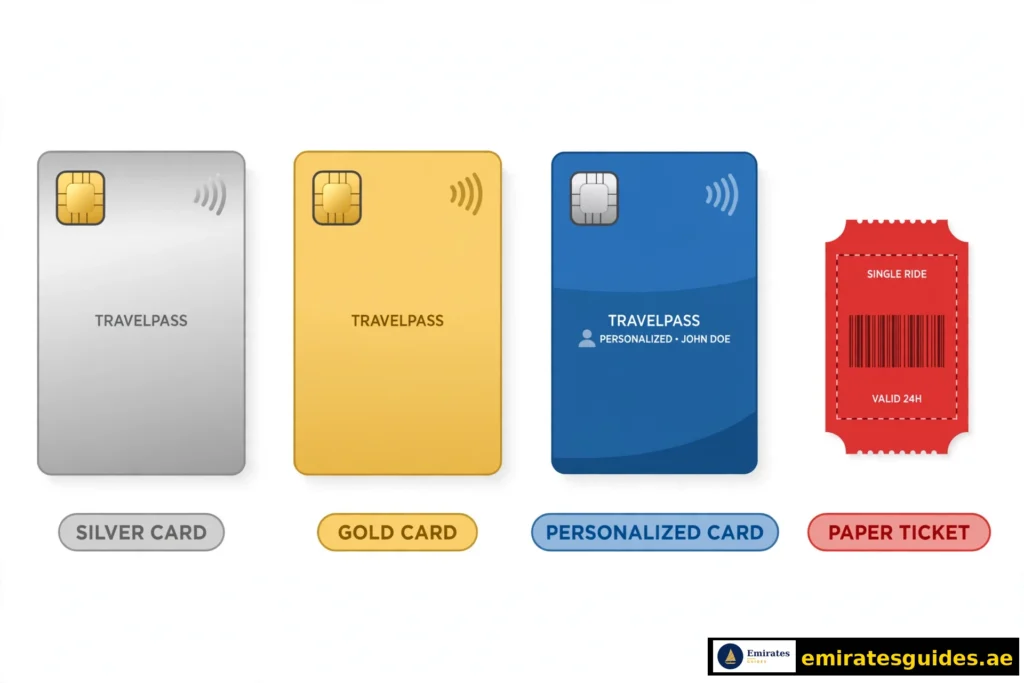
Before you check anything, it helps to know which card you’re holding. Dubai has four main types, and they differ in price, validity, and balance limits. Pick the wrong mental model and the numbers won’t make sense.
| Card | Price | Included Credit | Max Balance | Validity | Best For |
|---|---|---|---|---|---|
| Silver Nol Card | AED 25 | AED 19 | AED 1,000 | 5 years | Daily commuters |
| Gold Nol Card | AED 25 | AED 19 | AED 1,000 | 5 years | Gold Class cabin users |
| Blue Nol Card (personalised) | AED 70 | AED 20 | AED 5,000 | 5 years | Students, seniors, people of determination |
| Red Ticket | AED 2 | — | 10 trips max | 90 days | Tourists, occasional trips |
Silver is the standard. Most residents carry this one. It works everywhere and does everything the average commuter needs. Gold is identical to Silver except it unlocks the Gold Class cabins on Metro and Tram — at a premium fare, roughly double the standard rate. If you never sit in Gold Class, you’re just paying Silver fares on a gold-coloured card. Blue is the personalised card, linked to your identity. It costs more upfront (AED 70) but the payoff is real: balance protection if the card is lost or stolen, a AED 5,000 ceiling instead of 1,000, and concession fares — students and senior citizens get 50% off, and people of determination travel free on Metro and buses. You apply with documents (Emirates ID, student proof, etc.), so it takes a few days. Red Ticket is a paper ticket, not a card. Tourists love it — AED 2 from any ticket vending machine, load up to 10 single trips, done. But it has no e-purse balance to check in the usual sense; you check remaining trips, not dirhams.
There’s also a virtual Nol card inside the Nol Pay app now — a fully digital card on your phone. More on that under the app method.
What You Need Before Checking Your Balance
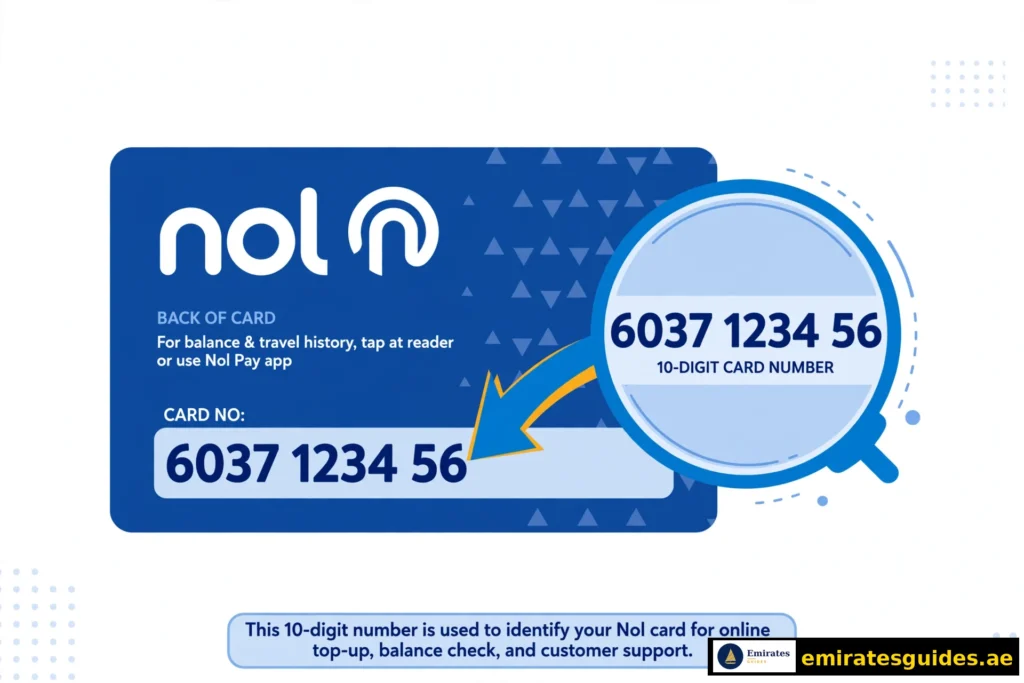
Every online and app method asks for one thing: your Nol Tag ID. This is the 10-digit number printed on the back of your card. Not 14 digits — some websites get this wrong. Flip your card over; it’s the long number on the reverse side.(Quick accuracy note: a few competitor sites claim the Tag ID is 14 digits. It’s 10. If a balance check page rejects your number, double-check you’re entering the digits from the back of the card, not the front.)
For the SMS method, your mobile number needs to be registered with the RTA. For NFC scanning, your phone needs NFC turned on. That’s it — no account required for the basic website check.
All 9 Nol Card Balance Check Methods at a Glance
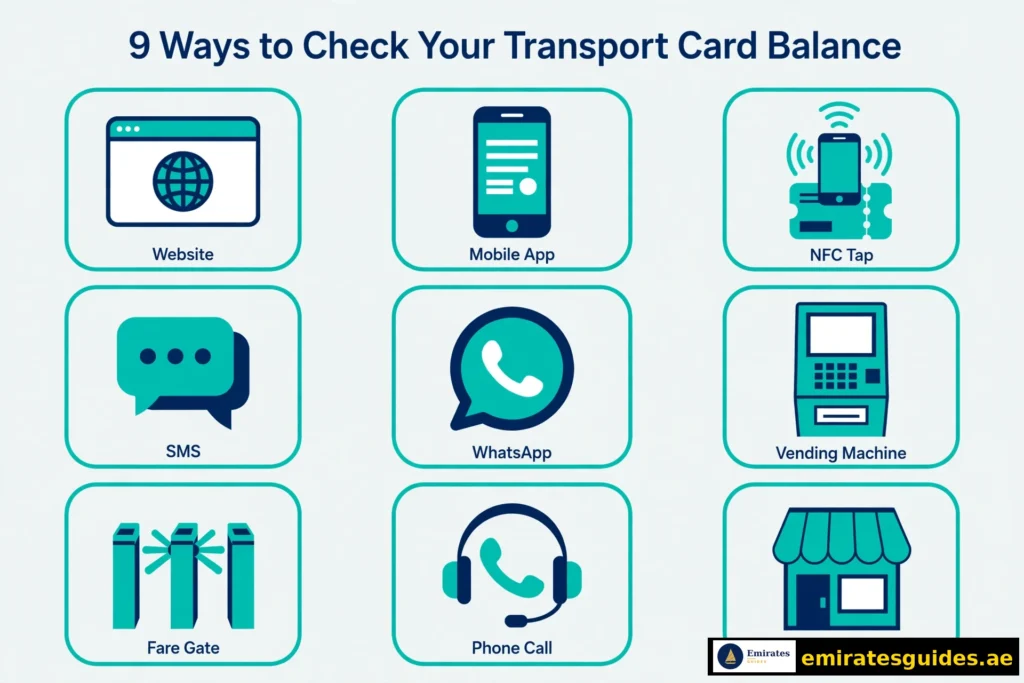
Not every method suits every situation. Here’s the honest comparison so you can pick yours and skip the rest.
| # | Method | Internet Needed? | Speed | Best For |
|---|---|---|---|---|
| 1 | RTA website | Yes | ~30 seconds | No app, no login |
| 2 | RTA Dubai app | Yes | ~30 seconds | Full account management |
| 3 | Nol Pay app (NFC) | Yes | Instant | Fastest phone check |
| 4 | SMS to 511 | No | ~1 minute | No internet at all |
| 5 | WhatsApp / Mahboub chatbot | Yes | ~1 minute | Chat-style help |
| 6 | Metro stations & ticket machines | No | Instant | On the go, offline |
| 7 | Automatic fare gates | No | Instant | Already at the gate |
| 8 | Helpline 800 9090 | No | ~2 minutes | Talking to a human |
| 9 | Authorised merchant shops | No | Instant | Topping up anyway |
Method 1: Nol Card Balance Check Online via the RTA Website
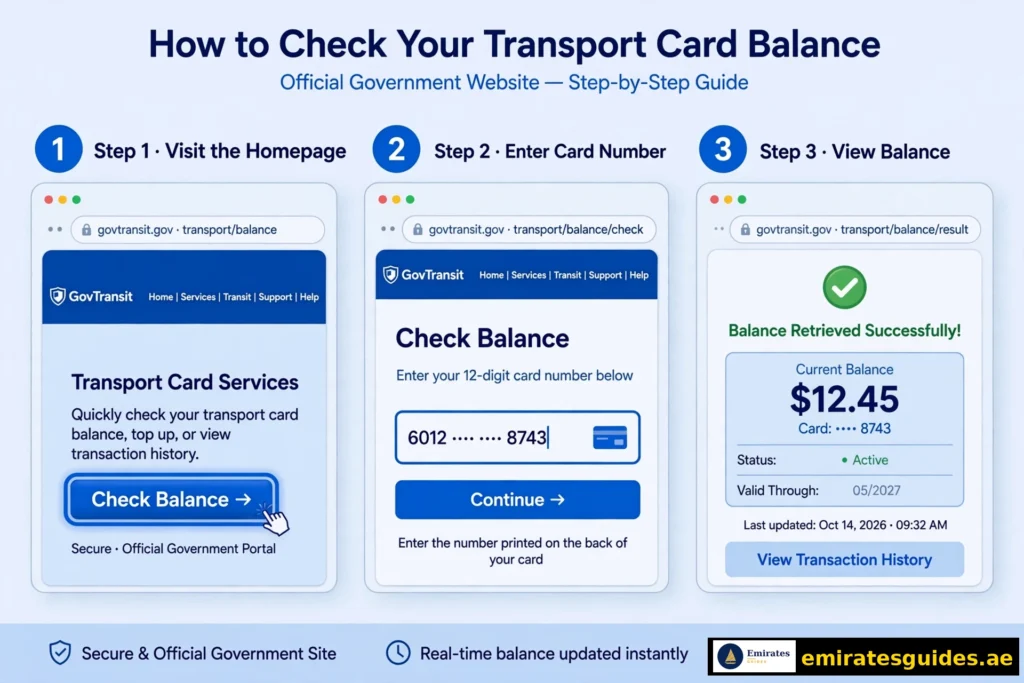
This is the method most people use — no app download, no account, no login. Just your Tag ID and 30 seconds.Steps:
- Go to the RTA’s official Nol balance page at rta.ae and find “Check Nol Balance” (it’s in the quick services section on the homepage).
- Enter your 10-digit Nol Tag ID in the field.
- Complete the CAPTCHA check.
- Hit Search.
Your current Nol card balance appears immediately, along with your card’s expiry date and any pending credit (more on pending credit below — it trips up a lot of people).Good to know: the website check is read-only. Nobody can move your money or change anything from this page — it just displays the numbers. If the page ever says your Tag ID isn’t recognised, re-enter it carefully; a single wrong digit is the usual culprit.
Method 2: Check via the RTA Dubai App
If you already use RTA services, the app keeps everything in one place. The Nol card balance check app route also unlocks transaction history and top-up reminders that the website doesn’t offer.Steps:
- Download the RTA Dubai app (Android, iOS, or Huawei AppGallery).
- Open it, choose English, and either log in or continue as a guest.
- Tap the public transport icon, then choose Nol card balance.
- Enter your Tag ID and tap Search — or pick your saved card under “My Nol Cards.”
The app shows your balance, expiry, and recent activity. Registering your card in the app is worth doing: you get low-balance alerts and can see your full Nol card balance check history without visiting the website.Tip: guest mode works fine for a quick check, but your card won’t stay saved between sessions. Log in if you check often.
Method 3: Nol Pay App with NFC Scan
This is the fastest phone method, full stop. If your phone has NFC, you don’t even type the Tag ID — just tap the card to your phone.Steps:
- Download the Nol Pay app and log in (RTA account or UAE Pass).
- Go to Manage Nol Card → Check Card Info.
- Either enter your Tag ID manually, or place your physical card against the back of your phone and tap Scan.
The balance appears instantly. The app also handles virtual cards — if you’ve created a digital Nol card in Nol Pay, its balance shows here too, no physical card needed.NFC notes: turn NFC on first (it’s usually under Settings → Connections). Hold the card flat against the phone’s NFC spot — usually the upper-middle of the back panel — and keep it still until the reading completes. If it fails, reposition slightly and try again; thick phone cases sometimes interfere.

Method 4: Nol Balance Check by SMS to 511
No internet? No problem. The RTA’s SMS service works on any phone.Steps:
- Make sure your mobile number is registered with the RTA against your Nol card.
- Send BAL to 511.
- You’ll receive a text back with your current balance.
That’s the whole process. It costs whatever your carrier charges for a standard SMS — the RTA doesn’t add a fee.Limitation: SMS only returns the balance figure. No expiry date, no history, no pending credit detail. Fine for a quick “can I board?” check, not for anything deeper.

Method 5: Check via WhatsApp and the Mahboub Chatbot
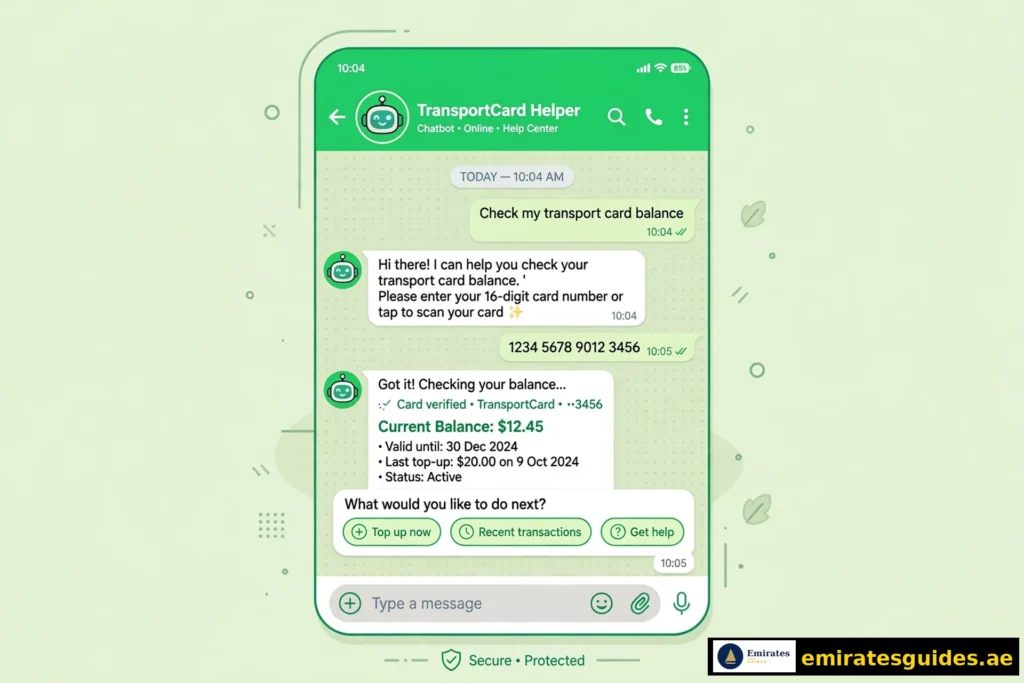
RTA’s virtual assistant Mahboub lives on WhatsApp (+971 58 800 9090) and on the RTA website. It’s surprisingly capable for a chatbot.Steps:
- Open WhatsApp and message +971 58 800 9090, or open the chat widget on rta.ae.
- Type something like “check Nol card balance.”
- Follow the prompts — it’ll ask for your Tag ID and return your balance.
Mahboub also handles top-ups (AED 30–150 per transaction via DubaiPay) and answers fare questions. It’s a decent option when you’d rather chat than navigate menus.
Method 6: Check at Metro Stations and Ticket Machines
The offline classic. Every Dubai Metro, tram, and bus station has ticket vending machines (TVMs) with a card reader.Steps:
- Find any ticket vending machine.
- Place your Nol card on the reader.
- Your balance displays on screen instantly.
Ticket office counters do the same thing with staff help, and RTA customer happiness centres can check it too. This method needs no phone, no internet, no Tag ID memorised — just the card itself. It’s also the fastest way to check and top up in one go.

Method 7: Check at Automatic Fare Gates
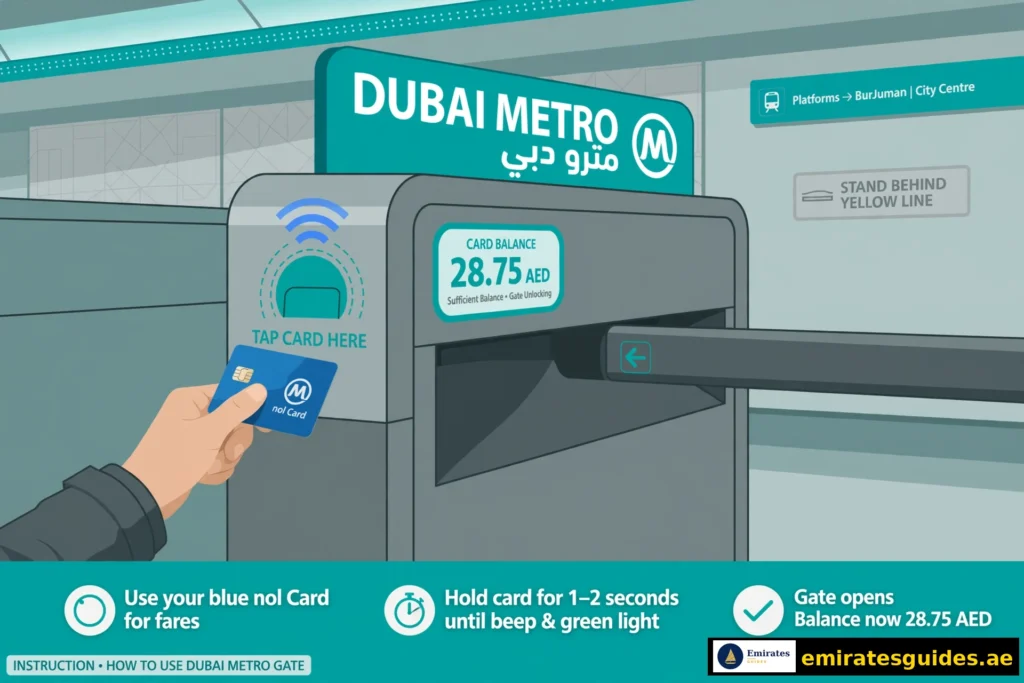
Here’s one most guides miss: you can see your balance right at the Metro or Tram fare gate. When you tap in, the gate display briefly shows your remaining balance after the tap. It’s not a dedicated “check” — it’s a side effect of travelling — but regular commuters use it as a passive balance monitor.Watch for: if the display flashes a low number or the gate hesitates, that’s your cue to top up before the next trip. Don’t rely on this as your only method, but it’s a handy backup.
Method 8: Call the RTA Helpline (800 9090)
Prefer a human? Call 800 9090 (toll-free in the UAE), give the agent your Tag ID, and they’ll read out your balance. International callers use +971 4 605 1414.
Hours are Monday–Thursday 7:30 AM–3:30 PM and Friday 8:00 AM–12:30 PM for most services, though the helpline handles basic queries around the clock. Keep your card handy before calling — they’ll ask for the Tag ID first.
Method 9: Check at Authorised Merchant Shops
Authorised RTA sales agents — certain supermarkets, groceries, and service shops — can check your balance when you hand over the card. This usually happens in the context of a top-up: you ask to recharge, they check the current balance first, then add your amount.Caution: only use clearly authorised agents (look for RTA signage). Random shops offering “balance checks” aren’t part of the official network.
Nol Card Fares by Zone (2026)
Your balance drains according to Dubai’s zone system. The city is divided into zones, and your fare depends on how many you cross — plus which card you hold. This is the table almost no competitor publishes, so bookmark it.
| Zones Crossed | Silver / Blue | Gold | Red Ticket |
|---|---|---|---|
| 1 zone | AED 3 | AED 6 | AED 4 |
| 2 adjacent zones | AED 5 | AED 10 | AED 6 |
| 3+ zones (all zones) | AED 7.50 | AED 15 | AED 8.50 |
A few things worth knowing:
- Bus fares follow the same zone logic but cap lower on short hops.
- Transfer window: you get free transfers between Metro and bus within 30 minutes — the system counts it as one journey, not two.
- Gold Class costs roughly double on every tier. That AED 15 all-zone fare on Gold is why Gold holders should check balances more often.
- Daily and monthly caps exist on personalised cards — once you hit the cap, the rest of the day’s travel is free. (This is another quiet reason to register for a Blue card.)
Minimum Balance: How Much Do You Actually Need?
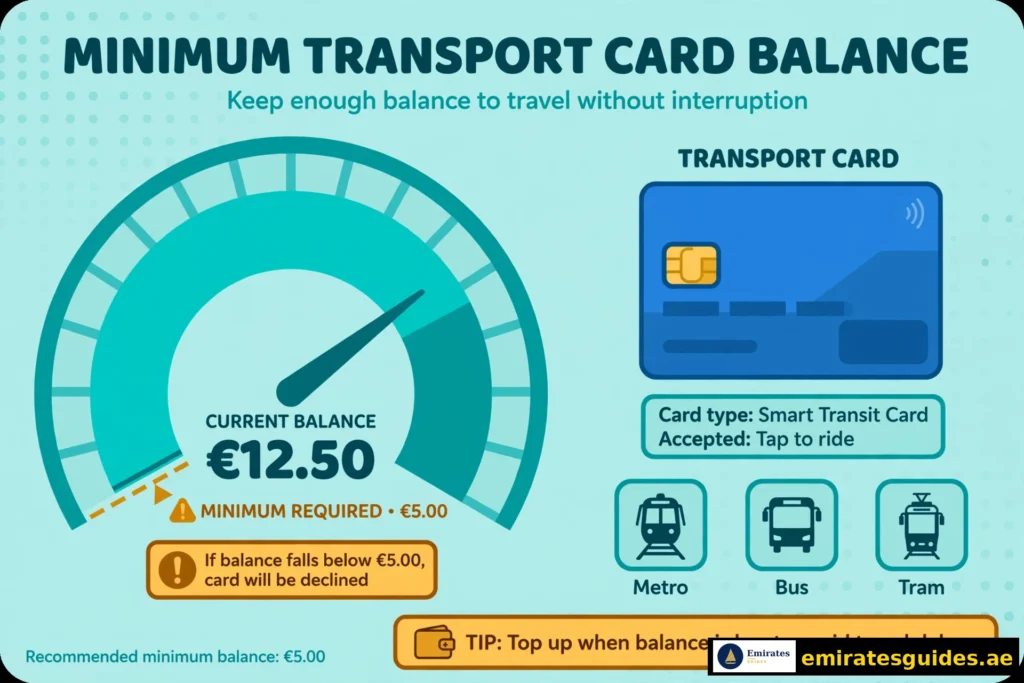
The RTA requires a minimum Nol card balance of AED 7.50 to tap in and start a journey. Below that, the gate won’t open — even if your actual fare would’ve been AED 3.
| Situation | Minimum Needed |
|---|---|
| Standard tap-in (Silver/Blue/Red) | AED 7.50 |
| Gold Class tap-in | AED 15 |
| Online top-up minimum | AED 5 |
| TVM top-up minimum | AED 20 |
Practical rule: never let the card sit below AED 10. The 7.50 gate threshold plus one all-zone fare (7.50) means AED 15 is the real-world “safe” floor for a Silver card. Set a low-balance alert in the Nol Pay app and you’ll never think about this again.
How to Check Your Nol Card Balance History
Current balance tells you where you stand. History tells you where the money went — useful when a fare looks wrong or you’re budgeting monthly transport costs.Via Nol Pay app (easiest):
- Log in to the Nol Pay app.
- Go to My Account → Transaction History.
- You’ll see recent taps: station names, times, and amounts deducted.
Via RTA website:
- Go to rta.ae → Nol services → Nol Card Transaction History.
- Enter your Tag ID and follow the prompts.
- The portal shows a summary of recent transactions across channels.
Note: full history requires a registered/personalised card. Anonymous Silver and Gold cards show limited history — another point for the Blue card if you like keeping records.

Pending Credit: Why Your Recharged Balance Isn’t Showing
This confuses more people than anything else in the Nol system, so let’s clear it up.
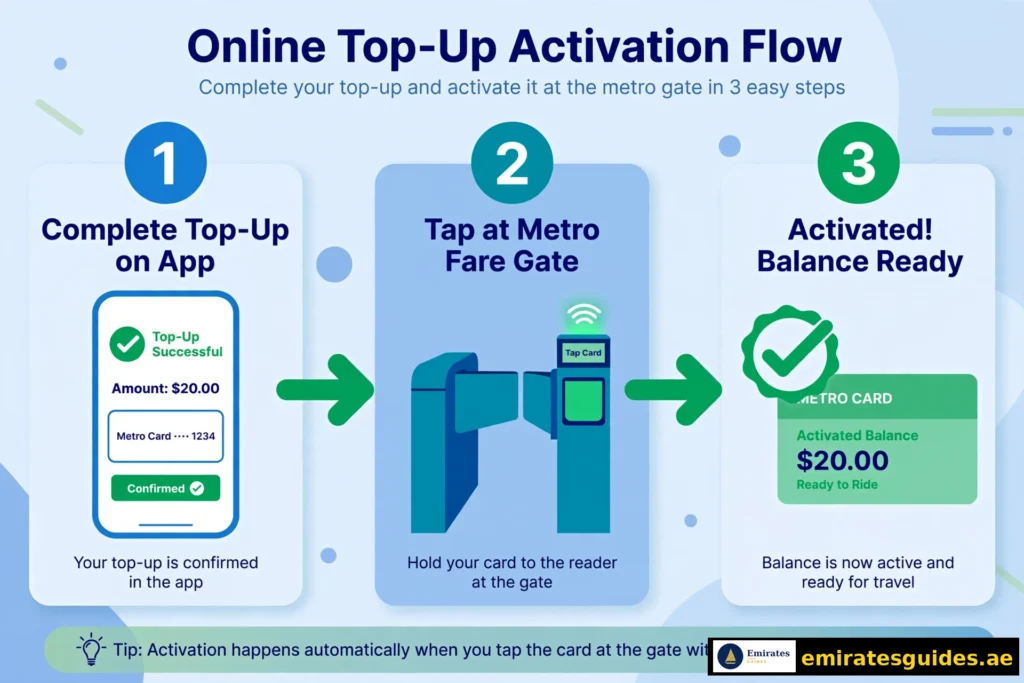
When you top up online or through an app, the money doesn’t land on your card immediately. It sits as pending credit for 45 minutes to 4 hours. To activate it, you must tap your card on one of these:
- A Metro fare gate
- A parking meter
- A solar top-up machine
- The Nol Pay app (NFC tap)
Bus validators cannot activate pending credit. This is the single most common complaint — someone tops up online, taps onto a bus, and the driver says insufficient balance. The money is there; it just isn’t on the card yet. Always do a Nol balance check after activating to confirm the new amount landed. If 4 hours pass with no activation, contact RTA support — and activate within 180 days of paying online, or the top-up expires.
How to Recharge Your Nol Card (Nol Card Recharge)
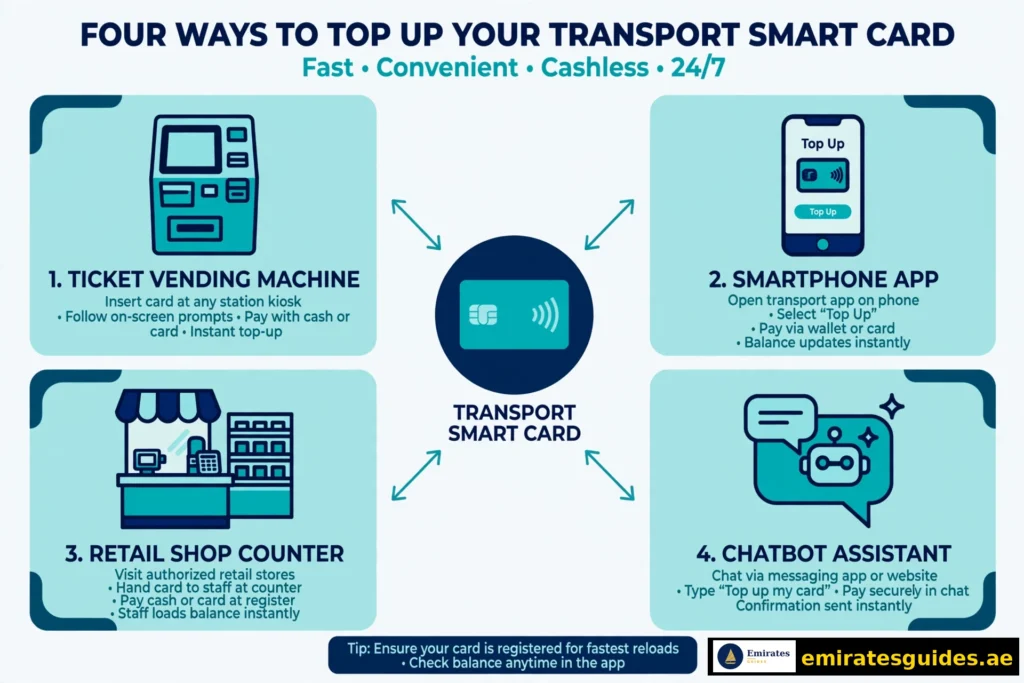
Checking is half the story — here’s the other half. A full Nol card recharge guide deserves its own article (and we’ve got one planned), but here’s the complete overview so you’re never stuck.Online & app top-up:
- RTA website → Manage Nol Card → Top Up → pay by credit/debit card
- RTA Dubai app, Nol Pay app, or S’hail app → Top Up → choose amount
- Mahboub chatbot → “Top up Nol card” → AED 30–150 via DubaiPay
- Online top-ups: AED 5 minimum, AED 150 maximum per transaction; allow 45 min–4 hrs + activation
In-person top-up (instant, no activation wait):
- Ticket vending machines at Metro/bus/tram stations — tap card, select Top Up, pay cash or card
- Ticket offices — hand the card to the agent
- Solar top-up machines at main bus stops — card on reader, cash only
- Authorised retailers — supermarkets and groceries with RTA signage
Limits to remember: anonymous cards (Silver/Gold) cap at AED 1,000 total balance; personalised Blue cards go to AED 5,000. You can’t activate top-ups on expired or blocked cards. Internal link: [Nol Card Recharge: Complete Top-Up Guide → /nol-card-recharge/] (article planned)
Why You Should Register Your Nol Card
Everything above works on an anonymous Silver card. But registering — linking the card to your identity via the RTA website or app — unlocks things anonymous cards can’t do:
- Balance protection: lose a registered card and your money is safe; it transfers to the replacement. Lose an anonymous one and the money’s gone.
- Full transaction history instead of fragments.
- Low-balance SMS/email alerts before you run dry.
- Higher ceiling: AED 5,000 vs AED 1,000.
- Concession fares if you’re eligible (students, seniors, people of determination).
Registration takes a few minutes on rta.ae with your Emirates ID. For anyone living in Dubai long-term, there’s no reason not to.
Nol Card Refund and Balance Transfer
Leaving Dubai? Switching cards? The RTA lets you pull money off a Nol card.Refund: apply through the RTA website or a customer happiness centre. The RTA deducts a small service fee (around 2.5% or AED 5, whichever applies to your case) and processes the refund to your bank account within about 4 working days. Only the e-purse balance is refundable — not the card purchase price. Balance transfer: moving from an old card to a new one (say, Silver to Blue) can be done via the RTA Dubai app with NFC: choose the transfer option, tap the source card, tap the destination card, enter the amount. Takes seconds. Lost or stolen cards: registered cards can be hotlisted instantly through the app or helpline, freezing the balance. Then request a replacement and the balance carries over. Anonymous cards can’t be blocked — treat them like cash.
Nol Card Expiry, Renewal and Replacement
Cards don’t last forever. Here’s the lifecycle:Expiry periods: Silver, Gold, and Blue cards expire 5 years from the date of issue. Red Tickets expire after 90 days. The expiry date is printed on the card and shown in every balance check result — which is why regular checks double as expiry monitoring. What happens at expiry: an expired card won’t tap in at gates, even with a positive balance. Your money isn’t lost, though — the e-purse balance carries over when you renew or replace. How to renew: visit any Metro station ticket office, an RTA customer happiness centre, or apply on rta.ae. Bring the old card and your Emirates ID (for personalised cards). Renewal is quick — usually done on the spot at stations. Replacement for damaged cards: cracked, demagnetised, or water-damaged cards get replaced the same way. If the chip still reads, the balance transfers instantly; if not, registered cardholders get it restored from RTA records after verification. Another quiet argument for registration. Pro tip: set a calendar reminder for 4 years and 11 months after you buy a card. Renewing a week early beats discovering expiry at a locked gate.
Nol Card for Tourists: What Visitors Need to Know
No competitor covers this properly, so let’s fix that. Visiting Dubai for a few days?
- Get a Red Ticket (AED 2) from any Metro station vending machine if you’ll take a handful of trips. Load up to 10 single journeys.
- Get a Silver card (AED 25, includes AED 19 credit) if you’ll use transport daily — it pays for itself fast, and works on taxis, parking, and shops too.
- Balance check as a tourist: the RTA website method needs no account and no UAE number — just the Tag ID. The SMS method won’t work without a registered local number.
- Children under 5 travel free on all RTA public transport. No card needed.
- Day passes exist on the Red Ticket and Silver card — if you’ll ride 3+ times in a day, compare the pass price against per-trip fares.
RTA Card Balance Check vs Nol Card Balance Check: What’s the Difference?
Short answer: nothing. They’re the same thing.
You’ll see both terms in Google — “RTA card balance check” (9,900 searches/month) and “RTA Nol card balance check” (another 9,900) — because the RTA is the authority behind the Nol system, so people naturally combine the names. Every method in this guide is an RTA card balance check, whether you do it on rta.ae, in the RTA Dubai app, or via the RTA’s SMS service.
The confusion sometimes goes further: a few sites treat “RTA card” as a separate product. It isn’t. There is no standalone “RTA card” — there’s the Nol card, issued and managed by the RTA. If a website asks you to check an “RTA card balance,” enter your Nol Tag ID. Same card, same balance, same system.
One related mix-up worth clearing: the RTA also runs Dubai’s toll (Salik), parking, and licensing systems, but those have nothing to do with your Nol e-purse. A Salik balance and a Nol balance are completely separate — topping up one doesn’t touch the other.
How to Check Balance for a Family Member’s Card
Parents check for kids, spouses check for each other — it’s one of the most common real-world uses, and it’s straightforward:
- Website: enter their Tag ID on rta.ae. No login, no permission needed — the check is anonymous.
- Your Nol Pay app: add multiple cards under “Manage Nol Card.” Each family member’s card gets its own entry with its own balance and history.
- RTA’s family features: the Nol Pay app supports family card management — you can oversee top-ups and monitor balances for cards linked to your household.
Privacy note: the website check only displays the balance — it can’t move money or change settings. So there’s no risk in checking someone else’s card with their permission. Just don’t share Tag IDs publicly; anyone with the number can see the balance.
Common Nol Card Problems and Fixes
“Tag ID not recognised”
Re-enter the 10-digit number from the back of the card, slowly. Still failing? The card may be unregistered in the RTA system (rare with new cards) — call 800 9090.“Balance not updated after recharge”
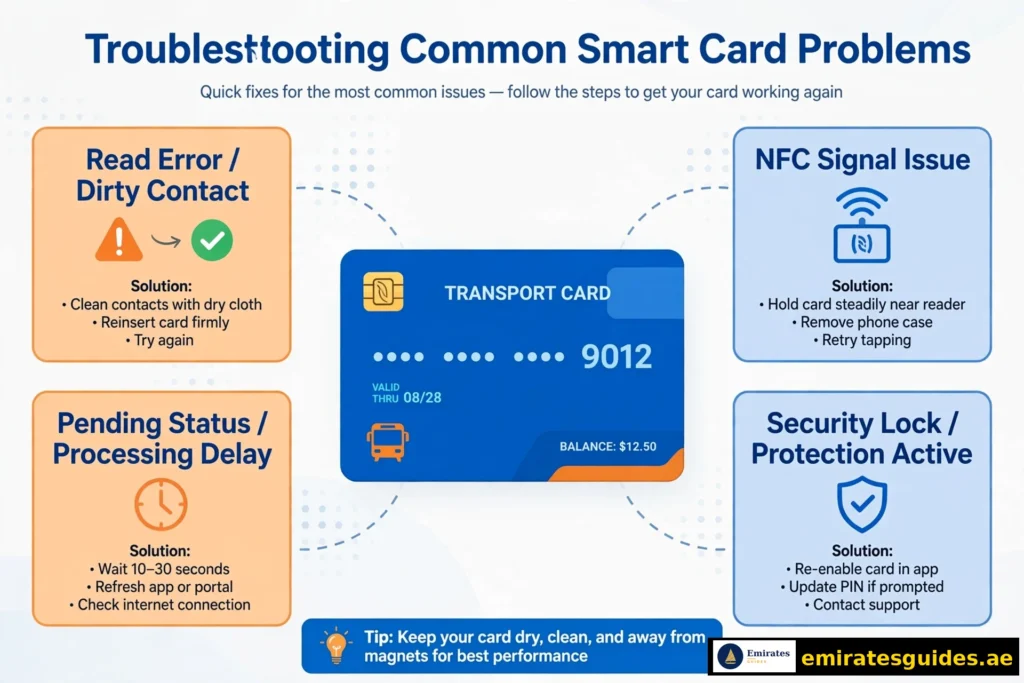
Pending credit — see the section above. Tap a Metro gate, parking meter, or use Nol Pay NFC to activate. Bus validators won’t do it.“NFC scan not detecting my card”
Enable NFC in phone settings. Remove thick cases. Place the card flat on the phone’s NFC zone (usually upper back) and hold still for 2–3 seconds.“Maximum fare deducted”
Forgot to tap out? The system charges the maximum fare for the line. Always tap out — even when the gate is open and nobody’s watching. If it happens, the transaction history will show it; RTA support can sometimes adjust genuine errors.“Card expired”
Nol cards last 5 years (Red Ticket: 90 days). Check the expiry in any balance check result. Renew or replace through the RTA website or a station office before it lapses — an expired card won’t tap in.“Card lost or stolen”
Registered card: hotlist it immediately via the app or 800 9090, then request a replacement — balance transfers over. Anonymous card: unfortunately, it’s gone. This is the strongest argument for registering.“Wrong fare charged for my trip”
Check your transaction history first — note the tap-in/tap-out stations and times. If you tapped out correctly and the fare still looks wrong (e.g., charged 3 zones for a 1-zone trip), contact RTA support with the transaction details. Genuine system errors do get corrected, but you need the specifics from your history to make the case.“App shows a different balance than the gate”
The app can lag behind reality by a few minutes, especially right after travel. The gate display at tap-in is the most current figure — it reads the card directly. If the gap persists beyond 15–20 minutes, the app may need a refresh (pull down to reload) or the card may have pending credit that hasn’t synced yet.
Tips for Managing Your Nol Card Balance
- Check weekly, not when desperate. A 30-second website check every Monday beats a rejected gate on Thursday.
- Turn on low-balance alerts in the Nol Pay app — set your threshold at AED 15.
- Top up at stations, not online, when you’re in a hurry. TVM top-ups are instant; online ones need activation.
- Keep the Tag ID saved in your phone’s notes. You’ll need it for every online check.
- Register the card. Seriously. Balance protection alone is worth the five minutes.
- Budget monthly: check your transaction history at month-end. Most daily commuters spend AED 150–300/month — knowing your number helps you pick the right top-up rhythm.
RTA Customer Service: Contacts and Timings
When self-service isn’t enough:
| Channel | Details |
|---|---|
| Toll-free helpline | 800 9090 |
| International | +971 4 605 1414 |
| WhatsApp (Mahboub) | +971 58 800 9090 |
| [email protected] | |
| In person | RTA customer happiness centres, Metro station offices |
| Hours | Mon–Thu 7:30 AM–3:30 PM; Fri 8:00 AM–12:30 PM |
Understanding Your Balance Screen: What Each Field Means
When you check your balance — on the website, app, or TVM — you’ll see several fields. Here’s what each one actually means, because the RTA doesn’t explain them well:
- E-purse balance: your spendable money. This is the number that matters at the gate.
- Pending credit: top-ups you’ve paid for but haven’t activated yet (see Pending Credit section). Not spendable until activated.
- Card expiry date: when the card itself expires (5 years from issue for Silver/Gold/Blue).
- Card status: Active, Blocked, or Expired. A blocked card won’t tap in even with balance.
- Last transaction: your most recent tap — useful for spotting unfamiliar deductions.
If any field looks wrong — a transaction you don’t recognise, a status that should be Active — screenshot it before contacting RTA support. It speeds everything up.
Nol Card Recharge: The Complete Top-Up Guide
Since Nol card recharge gets 18,100 searches a month on its own, let’s give it the depth it deserves. (We’re also planning a dedicated recharge article — this section covers everything you need today.)
Recharge Online (RTA Website)
- Go to rta.ae → Nol services → Top Up Nol Card (or “Manage Nol Card”).
- Enter your Tag ID and email address.
- Choose your amount (AED 5 minimum, AED 150 maximum per transaction).
- Pay with a credit or debit card.
- Wait 45 minutes to 4 hours, then activate by tapping a Metro gate, parking meter, solar machine, or via Nol Pay NFC.
Online top-ups are convenient but slow. Never do one 10 minutes before you need to travel.
Recharge via Apps
- RTA Dubai app: Top Up → enter Tag ID or pick saved card → amount → pay. Same 45 min–4 hr activation rule.
- Nol Pay app: Top Up → NFC-tap your physical card → amount → pay → tap again to activate instantly. This is the fastest app method because activation happens in the same session.
- S’hail app: RTA’s journey-planning app also handles top-ups with the same limits.
- Mahboub chatbot: type “Top up Nol card” → AED 30–150 → pay via DubaiPay.
Recharge In Person (Instant)
- Ticket vending machines: tap card on reader → Top Up → enter amount → pay cash or card → keep card on reader until confirmed. Balance is live immediately.
- Ticket offices: hand your card to the agent, state the amount, pay. Done.
- Solar top-up machines: at major bus stops — card on reader → amount → cash only.
- Authorised retailers: supermarkets and shops with RTA signage. They check your balance first, then add your amount.
Recharge Limits and Rules
| Rule | Detail |
|---|---|
| Online/app per-transaction max | AED 150 |
| Online/app per-transaction min | AED 5 |
| TVM per-transaction min | AED 20 |
| Anonymous card total cap | AED 1,000 |
| Personalised card total cap | AED 5,000 |
| Activation window | Within 180 days of online payment |
| Expired/blocked cards | Cannot be topped up — renew first |
Internal link: [Nol Card Recharge: Complete Top-Up Guide → /nol-card-recharge/] (dedicated article planned)
Digital Nol Card and Virtual Cards
The physical card isn’t your only option anymore. The RTA now issues virtual Nol cards through the Nol Pay app — a fully digital card living on your phone.How it works: create the virtual card in Nol Pay, top it up like a physical card, then tap your phone (NFC) at gates and readers instead of a card. Balance checks, history, and top-ups all happen in the same app. Pros: nothing to lose, nothing to forget at home, instant top-up + activation in one flow. Cons: needs an NFC phone with battery. A dead phone means no travel — keep a physical card as backup if your phone dies often.
Tourists particularly like the virtual option: land at DXB, create a virtual card on airport WiFi, and you’re on the Metro without hunting for a vending machine.
Nol Plus: Earn Rewards on Your Travel
Most people don’t know the RTA runs a loyalty programme. Nol Plus gives you points for every dirham spent on transport with a registered Nol card. Points convert to top-up credit, retail vouchers, and partner offers.
Enrolment is free on the RTA website — link your registered card and points start accumulating automatically. It won’t make you rich, but free Metro credit for travel you were doing anyway is hard to argue with.
Nol Card vs Other Emirates’ Transport Cards
Dubai’s Nol gets all the attention, but the other emirates have their own systems. If you travel between emirates, this matters:
| Emirate | Card | Used For | Works in Dubai? |
|---|---|---|---|
| Dubai | Nol | Metro, bus, tram, taxi, parking | Yes (home turf) |
| Abu Dhabi | Hafilat | Buses, ferries | No — separate system |
| Sharjah | Sayer | Buses | No — separate system |
Key point: cards don’t cross emirates. Your Nol won’t work on an Abu Dhabi bus, and Hafilat won’t open a Dubai Metro gate. Inter-emirate travellers need both.
Frequently Asked Questions
Conclusion
A Nol card balance check is one of those tiny habits that quietly makes Dubai life smoother. Thirty seconds on the RTA website, a tap in the Nol Pay app, or a quick SMS to 511 — pick the method that fits your day and make it routine.
The bigger wins are structural: register your card for balance protection, turn on low-balance alerts, and understand pending credit before it confuses you at a bus validator. Do those three things and you’ll never think about your Nol balance again — until this guide reminds you to check it.
If you found this guide useful, our transport section has more: the Dubai Metro map with timings, the Hafilat card guide for Abu Dhabi travel, and a dedicated Nol card recharge walkthrough for when your balance runs low.
Nol Card for Tourists: Visitor’s Playbook
Visiting Dubai? The Nol card is your key to the city — and tourists have specific needs that residents never think about. Get the card choice right on day one and you will save real money across your trip.
Which Card for a Short Visit?
- Red Ticket — single-trip paper tickets; fine for 1–2 rides but poor value for real sightseeing
- Silver Card — the tourist sweet spot; AED 25 (AED 19 credit included); works on Metro, bus, tram, and marine transport
- Day Pass — unlimited Metro/bus/tram for a full day; worth it for 3+ trips in 24 hours
Tourist Tips
- Buy at the airport — Metro station ticket offices sell all card types; staff speak English
- Tourist day passes stack well with hop-on itineraries (Burj Khalifa → Dubai Mall → Marina in one day)
- Keep the card — Silver cards work on return visits (5-year validity); it is a souvenir that pays
- Airport to city: the Metro Red Line runs directly from Terminals 1 & 3; a Silver card covers the trip
Common Tourist Mistakes
- Buying single Red Tickets repeatedly (costs 2–3x more than a Silver card over a week)
- Forgetting the AED 7.50 minimum balance rule at gates (top up before you travel)
- Not tapping out (maximum fare charged — always tap both ends)
- Leaving credit stranded (small balances are hard to refund; spend it down on the last day)
Nol Card Expiry & Renewal
Nol cards expire — usually after 5 years. What to know:
- Check expiry in your balance-check result (the RTA site shows it)
- Expired card at the gate = entry denied, even with balance
- Renewal: visit an RTA service centre or Metro ticket office with the old card and a valid ID
- Balance transfer: remaining credit moves to the new card (keep the old one until the transfer is confirmed on a balance check)
- Registered cards renew more smoothly — another reason to register
Do not throw away an expired card with balance. Transfer first, discard after. And if your card is damaged but readable, the same transfer process applies — RTA can move credit from a cracked or faded card to a fresh one at any ticket office.
Lost Card? Act Fast
- Registered cards: report loss immediately via RTA — the balance is protected and transferable
- Unregistered cards: whoever holds the card holds the balance — treat it like cash
- Replacement fee applies for new cards; the protected balance transfers free
Nol Card Transaction History
Beyond the balance, you can view your travel history:
- RTA website — full transaction history with dates, routes, and fares charged
- Nol Pay app — recent trips with station names and timestamps
- Why it matters: dispute wrong charges, track monthly spending, file expense reports for work travel
Fare disputes: if charged incorrectly, note the transaction details (date, time, stations) and contact RTA (800 9090). Keep the physical card — they may need its Tag ID to investigate. Most genuine errors are corrected within a few working days, and the adjustment appears as a credit on your next tap. Last updated: October 15, 2026. Fare and fee figures follow RTA guidance current at the time of writing — verify on rta.ae before travelling if anything looks off. Found a detail that’s changed? RTA updates fares and features periodically, so a quick re-check never hurts.
